

How to Remove Text from Image Without Removing Background: A Safe Manga Workflow
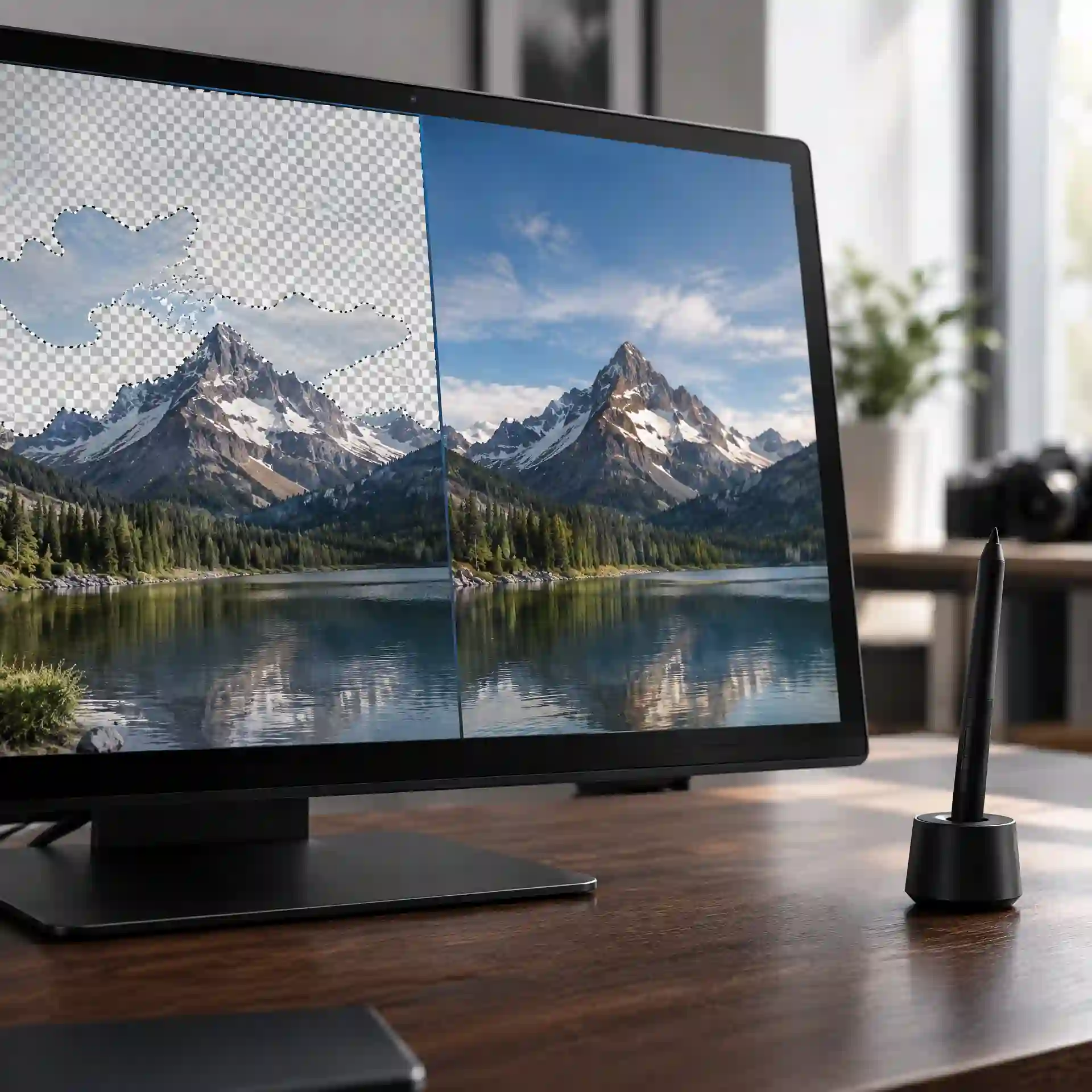
The best starting strategy is a privacy-first, local image inpainting workflow: keep the original file offline, make a copy, and repair only the smallest area around each letter. This approach to how to remove text from image without removing background protects comic lines, speech bubbles, and personal image data better than uploading every file to an unknown service. It also gives you a clean base for later manga translation and typesetting.
This guide explains how to remove text from image without removing background on white bubbles, patterned art, screenshots, and detailed comic panels. You will also learn how to judge an online editor before uploading unpublished art or client files. The aim is a clean result without trading image quality for speed or privacy.
1. How to Remove Text from an Image Without Harming Background Details
1.1 Identify the Background Before You Erase Anything
The first rule of how to remove text from image without removing background is to study what sits behind the letters. A white speech bubble, a flat color, a screen tone, and a character's face need different methods. Start at 100% zoom, then inspect the text at 200% so you can see anti-aliased edges and small line breaks.
For white or flat areas, how to remove text from image without removing background may require only a sampled color and a soft brush. For gradients, fabric, hair, buildings, or speed lines, use content aware image cleaning or an image inpainting photo editor. Do not paint solid white over an off-white bubble because the patch will remain visible after export.
1.2 Protect the Original and Reduce Cyber Risk
Before testing how to remove text from image without removing background, duplicate the image and keep the source in a separate folder. Rename the working copy, limit access to the folder, and avoid syncing confidential pages to a public shared drive. If the art belongs to a client or an unreleased comic, local editing is the safer default.
An online service can be useful, but how to remove text from image without removing background should begin with a basic security check. Read its privacy policy, retention period, deletion process, and rules for uploaded content. Avoid tools that do not explain whether files are stored, reused for model training, or shared with service partners.
This Reddit discussion shows why how to remove text from image without removing background becomes harder when manga lettering crosses detailed line art.
Reddit discussion about cleaning text from detailed manga panelsr/photoshop1.3 Build the Smallest Possible Selection
A tight selection is central to how to remove text from image without removing background. Cover each letter, outline, shadow, and glow, but leave nearby art outside the mask. When words cross a face or hand, split them into several small selections instead of processing the whole phrase.
This method helps users asking how can I remove text from an image without losing important detail. It also answers how can I remove text from a picture when automatic detection selects too much. Small masks give the editor more reliable pixels to copy or rebuild.
2. How to Remove Text from Image Without Photoshop
2.1 Use an Inpainting Editor for Complex Areas
The simplest method for how to remove text from image without removing background is an editor with object removal or inpainting. Upload a working copy, choose a brush slightly wider than the letters, and paint over the text. Run one small repair, inspect it, and continue only when the pattern and line direction look natural.
When learning how to remove text from image without removing background, never cover an entire panel in one pass. Large masks give the model less visual guidance and may produce repeated textures, bent lines, or invented objects. Treat a long sentence as several short repair zones.
This TikTok demonstration presents how to remove text from image without removing background with a direct brush-and-repair workflow for quick photo edits.
2.2 Fill Plain Speech Bubbles Manually
For a plain bubble, how to remove text from image without removing background does not need generative AI. Sample the bubble's true color, use a hard-edged selection inside the border, and fill the center. Finish near the outline with a smaller brush so the black edge stays sharp.
This is often the fastest way to clean comic speech bubbles. It also solves how to remove background text from image when the so-called background is a simple caption box. Check the bubble tail and corners because text shadows can hide in those narrow areas.
2.3 Use Clone and Healing Tools for Repeating Texture
Clone and healing tools make how to remove text from image without removing background more controlled on screen tones, paper grain, walls, and skies. Sample from a nearby area with the same brightness and pattern direction. Use short strokes, change the sample point often, and avoid obvious repeated patches.
If you need how to remove text from image without photoshop, choose an editor that offers healing, cloning, layers, and undo history. These controls matter more than a large list of AI effects. A good history panel lets you return to the last clean step instead of uploading the source again.
This YouTube tutorial shows how to remove text from image without removing background through a visual process that beginners can pause and compare.
2.4 Compare the Main Methods
Use the following table before choosing how to remove text from image without removing background. The best option depends on the art under the text, the sensitivity of the file, and the amount of manual repair you can accept. A check means the method is normally suitable; a cross means another method is safer.
| Method | Plain bubble | Detailed manga art | Keeps files local | Good for beginners |
|---|---|---|---|---|
| Color fill | ✓ | ✗ | ✓ | ✓ |
| Clone or healing brush | ✓ | ✓ | ✓ | ✗ |
| Local inpainting editor | ✓ | ✓ | ✓ | ✓ |
| Unknown online remover | ✓ | ✓ | ✗ | ✓ |
For most manga work, how to remove text from image without removing background is safest with color fill for bubbles and local inpainting for detailed areas. Manual cloning remains useful when AI changes a repeated texture. An unknown upload service should not receive private, paid, or unpublished images.
3. How to Remove Background Text from Image in Manga Panels
3.1 Clean Dialogue and Caption Boxes
In dialogue areas, how to remove text from image without removing background begins by protecting the bubble border. Select the text inside the bubble, expand the selection by one or two pixels if dark letter edges remain, and fill with the sampled interior color. Keep the outer border, tail, and nearby punctuation outside the selection.
When asking how do I remove text from an image, many beginners focus only on the black center of each letter. That leaves gray edge pixels behind. Inspect the cleaned bubble against both light and dark screens because faint halos are easier to spot under different viewing conditions.
3.2 Repair Sound Effects That Cross Line Art
Sound effects make how to remove text from image without removing background much harder because the letters often cover hair, clothing, action lines, or buildings. Remove the outer parts first, then work toward the important contour. This creates more clean reference pixels before the editor touches the difficult center.
For this type of how to remove text from image without removing background, follow the direction of the original drawing. Reconnect straight speed lines with a line tool, rebuild curved contours with short strokes, and copy matching screen tone from the same panel. Do not let generative fill redesign a character's face or hand.
This Reddit batch-editing discussion reveals why how to remove text from image without removing background needs review steps when many manga pages are processed.
Reddit discussion about batch removal of text from manga pagesr/photoshop3.3 Prepare a Clean Base for Translation
A translation workflow benefits when how to remove text from image without removing background produces a separate clean file. Keep three versions: the untouched source, the cleaned image, and the translated typeset page. This structure prevents accidental overwriting and makes later corrections easier.
Name files consistently, such as `chapter-page-source`, `chapter-page-clean`, and `chapter-page-en`. A clear naming system supports cybersecurity because it reduces accidental sharing of source material or unfinished pages. It also helps a team find the correct version without opening every file.

3.4 Review a Small Test Set Before Batch Work
Before processing a chapter, test how to remove text from image without removing background on six image types: white bubbles, gray captions, gradients, screen tones, line art, and faces. Record the time, visible errors, and manual repair needed for each type. A tool that succeeds on white bubbles may still fail badly on line art.
This small comparison is more useful than trusting a broad accuracy claim. Batch automation can detect likely text, but a human should review every exported panel. One missed line break can damage the artwork across dozens of pages.
4. Secure Content Aware Image Cleaning and Online Tool Use
4.1 Check What Leaves Your Device
Cybersecurity is part of how to remove text from image without removing background whenever a browser tool receives your file. Before upload, ask whether the image contains names, private messages, account details, unpublished artwork, or location clues. Crop or blur unrelated sensitive areas on a copy when they are not needed for the repair.
Some images may contain metadata from the camera or editing software. A cautious how to remove text from image without removing background workflow exports a clean copy and checks metadata before public sharing. Do not assume removing visible words also removes hidden information.
This Quora discussion compares options for how to remove text from image without removing background, helping users recognize that methods vary by background complexity.
Quora answers about deleting image text without deleting its backgroundQuora4.2 Evaluate an Online Editor Before Uploading
Choose services for how to remove text from image without removing background only when they use HTTPS and publish clear privacy terms. Look for a deletion schedule, account controls, contact details, and an explanation of data use. Leave the site if it requests unrelated browser permissions, software downloads, or payment details before showing basic terms.
Use a unique password if an account is required, and enable multi-factor authentication when available. Do not reuse a manga team, email, or cloud-storage password on a new editing site. Close old sessions and remove uploaded files after the task when the service provides that control.

4.3 Understand Watermarks and Ownership
The phrase erase watermark keep background appears in many searches, but technical ability is not permission. Use how to remove text from image without removing background only on work you own, licensed assets, or material you are allowed to edit. Do not remove ownership marks to hide the source or redistribute protected art.
Legitimate cases include deleting your own draft watermark, replacing outdated branding, or restoring an authorized clean master. Save the license, client approval, or source record with the project. This simple record protects both the editor and the rights holder.
4.4 Inspect the Result for Manipulation Errors
After using how to remove text from image without removing background, zoom to 200% and search for broken lines, copied faces, repeated texture, color shifts, and soft rectangles. Then view the page at normal size because some defects appear only when the panel is reduced. Compare with the untouched source side by side.
An image inpainting photo editor predicts missing pixels; it does not know the artist's exact original drawing. Treat its result as a draft, especially around eyes, hands, logos, and architectural lines. Correct uncertain details manually or use an authorized text-free source when available.
5. Final Quality Check for a Clean and Safe Manga Image
5.1 Run a Five-Point Visual Review
Complete how to remove text from image without removing background by checking five things: letter halos, bubble borders, continuous line art, natural texture, and unchanged character details. Review both the full page and each repaired area. Ask a second person to inspect important pages because the editor may overlook familiar mistakes.
For how can I remove text from a picture with reliable results, compare the source and clean copy using layers or side-by-side windows. Toggle between them quickly and watch areas outside the text. Any unrelated movement or color change means the selection was too large.

5.2 Export Without Losing Quality
Export is part of how to remove text from image without removing background, not an afterthought. Keep the original pixel dimensions, avoid repeated JPEG saves, and use PNG when sharp manga lines or flat colors are important. Create a separate smaller copy for web publishing rather than shrinking the clean master.
If the page will be translated, keep the clean image free of new lettering. Add translated dialogue on separate editable layers in the typesetting stage. This makes spelling, font, and placement changes possible without repeating the cleaning work.
5.3 Use the Safe Workflow on One Page First
The dependable answer to how to remove text from image without removing background is simple: protect the source, classify the background, use the smallest mask, repair in short passes, and inspect the output. Choose local content aware image cleaning for sensitive files and use trusted online tools only after reviewing their data practices. Never trade confidential artwork or account security for a faster edit.
Start with one authorized manga page and clean one white bubble, one textured caption, and one sound effect. Save the source, clean base, and translated version separately. Once the results pass the visual and security checks, apply the same workflow to the rest of the chapter.
References
EraseNet presents an end-to-end neural model designed to remove text from natural scene images. EraseNet paper on end-to-end scene text removal MTRNet++ studies masked text removal using a refined mask and image restoration network. MTRNet++ paper on one-stage scene text removal